오늘은 상세 페이지의 댓글 목록을 보여주는 과정에서 댓글 수가 많아지면 페이지로 나눠주도록 페이징 작업을 해주었다.
우선 views.py에 있는 detail_comment 함수를 comment_paging 함수로 바꿔주었다.
from django.core.paginator import Paginator

~~

# <변경 전>
# 댓글 보여주기
def detail_comment(request, id):
	movie = TestMovie.objects.get(id=id)
	comment = MovieComment.objects.filter(movie=id)

	return render(request, 'comment_list.html',{'movie': movie, 'comment': comment})

# <변경 후>
# 댓글 보여주기(페이징)
def comment_paging(request, id):
    page = request.GET.get('page', '1')

    comment_list = MovieComment.objects.filter(movie=id).order_by('-created_at')

    paginator = Paginator(comment_list, 5)
    comments = paginator.get_page(page)

    return render(request, 'comment_list.html', {'comment_list': comments})
원래는 detail_comment를 통해 댓글 목록을 전부 보여주고 있었지만, 하나의 페이지에 5개의 댓글만 보여주도록 설정해주고자 하였다.
장고 내에서 페이징을 위한 모듈을 지원해주기에 from django.core.paginator import Paginator를 가져온 뒤, Paginator(comment_list, 5)를 통해 하나의 페이지에 5개만 보여주도록 해주었다.
그리고 최신 댓글을 제일 앞쪽에 배치해주기 위해 order_by('-created_at')을 통해 댓글 생성 날짜를 기준으로 내림차순 정렬을 해주었다.
그리고 urls.py에 바뀐 comment_paging 함수를 연결해주었다.
urlpatterns = [
    path('movie/', views.movie, name='movie'),
    # path('movie/comment/<int:id>', views.detail_comment, name='detail-comment'),
    path('movie/<int:id>', views.comment_paging, name='comment-paging'),
    path('movie/comment/create/<int:id>', views.comment_create, name='comment-create'),
    path('movie/comment/delete/<int:id>', views.comment_delete, name='comment-delete'),
]
마지막으로 comment_list.html에서 페이징 기능을 연결해주기 위해 약간의 수정을 해주었다.
{# 작성된 댓글 불러오기 #}
{% for comment in comment_list %}
	<div class="comment_list">
		<div class="name_and_delete">
			<h4> {{ comment.user }} </h4>
			<a href="/movie/comment/delete/{{ comment.id }}">
				<span>삭제</span>
			</a>
		</div>
        <div class="comment_and_rate">
            <p> {{ comment.comment }} </p>
            <p> {{ comment.user_rate }} 점 <span> - {{ comment.created_at | timesince }} 전</span></p>
        </div>
	</div>
{% endfor %}

<ul class="comment_list_ul">
    <!-- 이전 페이지 -->
    {% if comment_list.has_previous %}
    <li>
        <a href="?page={{ comment_list.previous_page_number }}">이전</a>
    </li>
    {% else %}
    <li>
    	<a tabindex="-1" aria-disabled="true" href="#">이전</a>
    </li>
    {% endif %}
    <!-- 페이지 리스트 -->
    {% for page_number in comment_list.paginator.page_range %}
    {% if page_number == comment_list.number %}
    <li aria-current="page">
    	<a href="?page={{ page_number }}">{{ page_number }}</a>
    </li>
    {% else %}
    <li>
    	<a href="?page={{ page_number }}">{{ page_number }}</a>
    </li>
    {% endif %}
    {% endfor %}
    <!-- 다음 페이지 -->
    {% if comment_list.has_next %}
    <li>
    	<a href="?page={{ comment_list.next_page_number }}">다음</a>
    </li>
    {% else %}
    <li>
    	<a tabindex="-1" aria-disabled="true" href="#">다음</a>
    </li>
    {% endif %}
</ul>
댓글은 comment_list 안에 담긴 내용들을 불러오도록 해주었고, 댓글을 보여주는 코드 하단에는 페이징을 위한 코드를 적어주었다.
페이징 기능들은 장고 내에서 지원을 해주기 때문에 꽤 편하게 코드를 구현한 것 같다.
이제 해당 장고 프로젝트를 실행하고 admin 페이지에서 테스트용 댓글 데이터를 생성해주었다.
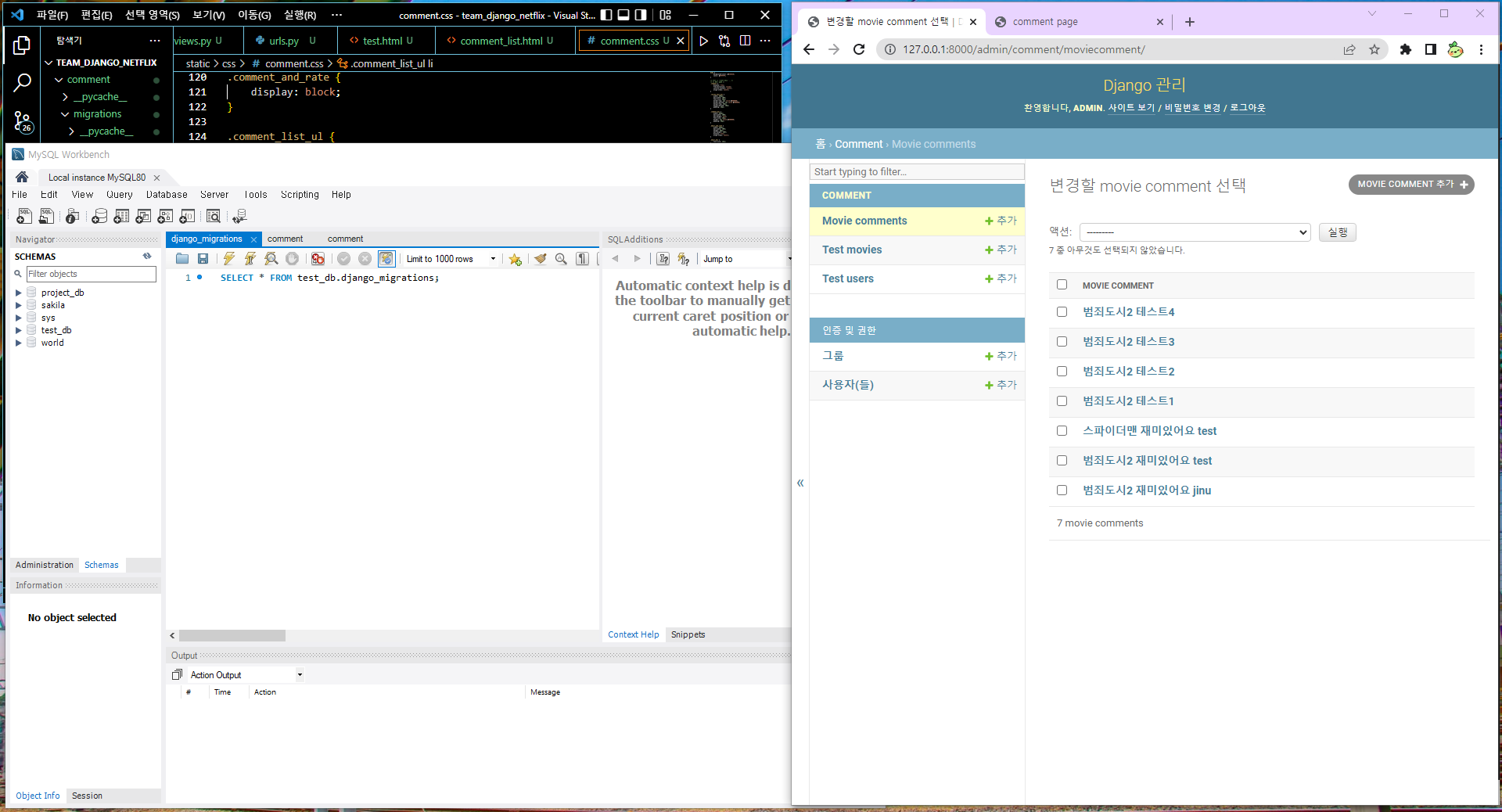
그리고 각 영화들의 movie/<int:id> 위치로 가서 댓글들을 확인해보았다.
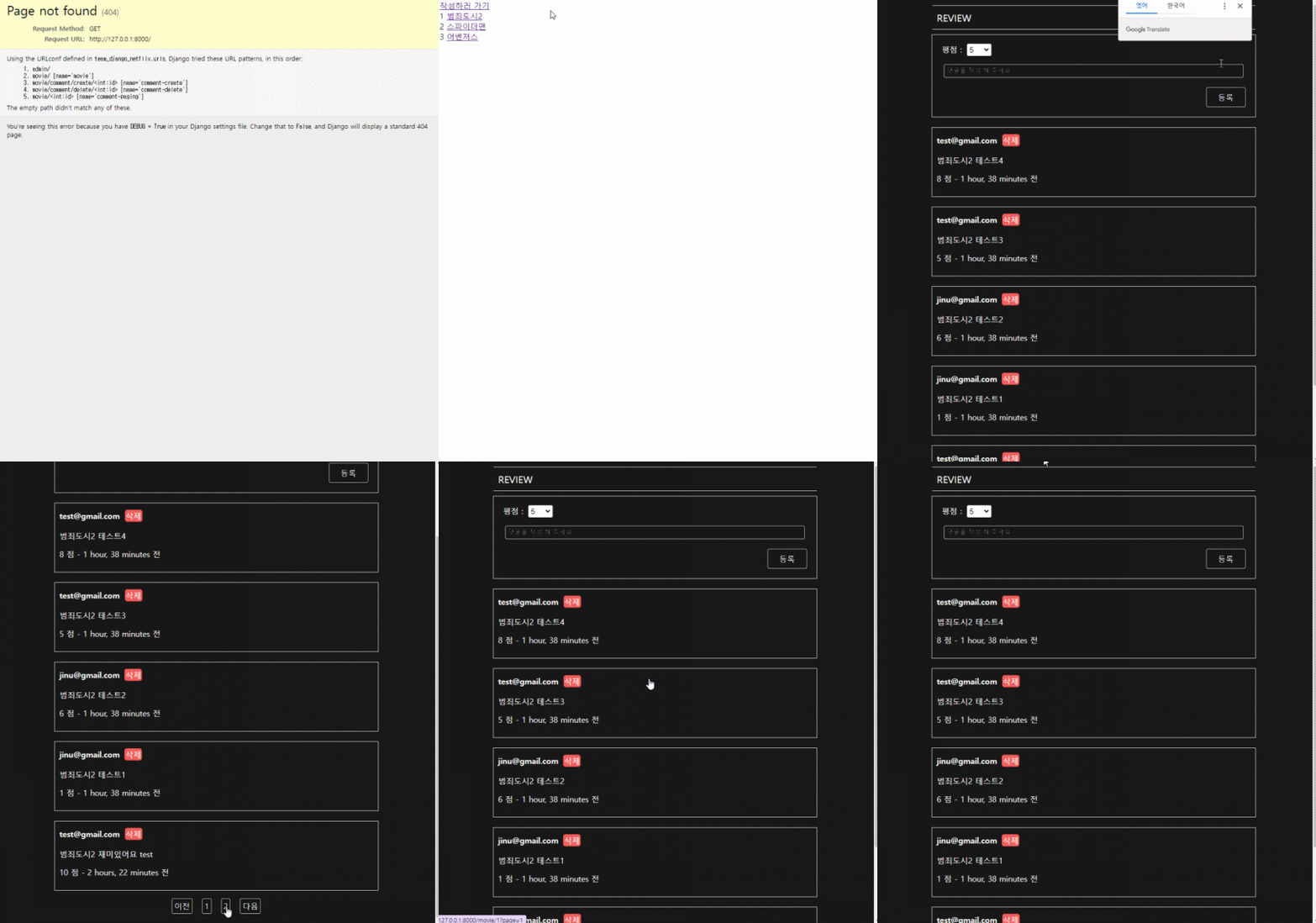
댓글을 5개로 나눠주었기 때문에 나눠준 형태로 페이징 기능이 활성화되어 있는 것을 볼 수 있었다.
-
영화 상세 페이지에 있는 댓글 UI가 점점 형태를 갖춰가고 있다.
이제 admin 페이지에서 로그인을 하는 것이 아닌 구현한 웹 페이지에서 다른 아이디로 접속을 한 뒤 댓글 기능이 정상적으로 작동되는지 확인해야 한다.
그런데 로그인을 하고 상세 페이지로 넘어가는 과정에서 에러가 발생하고 있기에 확인에 있어 조금은 지체되는 것 같다.
원래 프로젝트 종료일이 금요일인 줄 알았지만 아직 조금 더 남았다는 것을 뒤늦게 알아챘다.
왜 금요일이라고 알고 있었는지는 잘 모르겠지만 금요일부터 주말 간에 완성시켜보긴 해야겠다.
풀리지 않던 매듭이 점차 풀리고 있으니 조금은 안심이 되는 기분이다.
:T
'TIL 및 WIL > TIL (Today I Learned)' 카테고리의 다른 글
| [TIL] 2022.06.14 (Django 추천 시스템 팀 프로젝트(끝)) (0) | 2022.06.14 |
|---|---|
| [TIL] 2022.06.13 (Django 추천 시스템 팀 프로젝트5) (0) | 2022.06.14 |
| [TIL] 2022.06.08 (Django 추천 시스템 팀 프로젝트3) (0) | 2022.06.08 |
| [TIL] 2022.06.07 (Django 추천 시스템 팀 프로젝트2) (0) | 2022.06.07 |
| [TIL] 2022.06.02 (Django 추천 시스템 팀 프로젝트1) (0) | 2022.06.03 |


